Working Remotely From the Road
Hot spots, library Wi-Fi and the day the signal died.
 Sam Ortiz6 min read

Sam Ortiz
Sam writes the itineraries, fixes the van and is in charge of snacks.
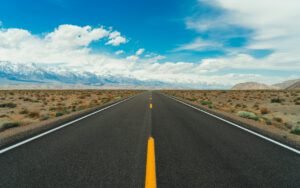


Maya designs websites; Sam writes. Both of us need the internet to pay for the gas. That simple fact shapes almost every decision we make on the road, from which campground we pick to which town we stop in on a Tuesday afternoon. We have worked from mountain passes, desert pullouts, small-town cafés and more public libraries than we can count. We have also had days when the signal disappeared completely, right before a deadline.
Here’s how we stay connected, most of the time. This is not a technical guide. It is what has actually worked for two people with ordinary phones, a modest budget and clients who expect their work on time.
 Sponsored · Cooler Co.Ice for five daysRotomolded coolers with a lifetime warranty.Shop coolers
Two carriers
Our phones use different networks, so one usually has signal. This is the single best decision we have made for working on the road. Coverage maps are helpful, but they are never perfect, especially in rural areas and national parks. One carrier might have a strong signal in a canyon in Utah while the other shows nothing at all. Two miles down the road, it can flip.
Having two networks gives us two chances at a usable connection. Before we park for the night, we both check our phones and test the speed. If one is strong enough for video calls, we use it as our hot spot for the day. If neither is, we move on.
Our basic connection setup
- Two phones on two different carriers, each with a plan that includes a generous amount of hot spot data.
- A small signal booster mounted in the van, which helps when the signal is weak but not completely gone.
- Offline tools for writing and design, so we can keep working when the connection drops.
- A coverage app that shows other travelers’ reports of signal strength at campgrounds.
Plans and prices change often, so it is worth comparing carefully and reading the fine print about hot spot data limits before you commit.

Plan your deadlines around the signal, not the other way around.
Maya, co-author of Two Lanes
Planning work around the road
The biggest lesson we learned was that working on the road requires planning in two directions at once. We plan our route around our work, and we plan our work around our route. When a big deadline or an important client call is coming up, we make sure we will be somewhere with a reliable connection: a town, a library or a campground with confirmed good signal. We save the remote, beautiful, disconnected places for the days after a deadline.
We also split our work into two types. Online work needs a real connection: video calls, uploading large files, publishing and email. Offline work can happen anywhere: writing drafts, sketching designs, editing photos and planning. On days when we know the signal will be poor, we load up on offline tasks and save everything that needs the internet for later.
Our weekly rhythm
- Monday: Stay somewhere connected. Calls, planning and catching up on email.
- Tuesday to Thursday: Focused work, with travel days only if the next stop has good signal.
- Friday: Wrap up and send deliverables, then head somewhere remote for the weekend.
- Weekend: Hike, explore, rest. If there is no signal, even better.
Libraries are heroes
Free Wi-Fi, quiet tables and clean restrooms. Always say thank you. Public libraries have saved our workweek more times than we can count. In small towns across the country, the library is often the best place to work: reliable internet, comfortable chairs, good light, power outlets and a calm, focused atmosphere.
Many libraries also offer private study rooms you can reserve for video calls, which is perfect for client meetings. Some have printers, scanners and even small makerspaces. And the librarians are usually happy to recommend a good lunch spot, a local hike or the best place to park overnight in town.

We try to be good guests. We keep calls quiet or take them in a study room, we do not take up a big table for hours during busy times, and we always thank the staff on the way out. When we can, we buy a used book from the library’s sale shelf or drop a few dollars in the donation jar. Libraries are a public treasure, and we want to leave them better than we found them.
Power in a small space
Signal is only half the problem. The other half is power. Two laptops, two phones, a signal booster and a camera battery add up quickly. Our van has a small solar panel on the roof and a second battery that charges while we drive. On sunny days in the Southwest, that is plenty. On gray, rainy weeks in the Pacific Northwest, it is not even close.
We learned to treat battery power like a budget. We charge everything while the van is moving, lower our screen brightness, close apps we are not using and keep a couple of portable power banks topped up for emergencies. On cloudy weeks, we plan more library days, where we can plug in for free. We also carry a short extension cord, because the only outlet in a small café is almost always behind the one table that is already taken.
Other places that work
When the library is closed or too far away, we have a few backup options:
- Cafés and coffee shops. Buy something, tip well and do not stay all day during the lunch rush.
- Coworking spaces. Many towns now have them, and day passes are often reasonable.
- Campgrounds with Wi-Fi. Useful, though campground Wi-Fi is often slow when everyone is online in the evening.
- Visitor centers and community centers. Some offer free Wi-Fi and a quiet corner to sit.
We avoid using public Wi-Fi for sensitive tasks like banking without basic security measures. A trusted VPN and keeping our devices updated give us some peace of mind. For anything involving client data, we follow our clients’ security rules carefully.
Key takeaway: Two carriers, a weekly plan built around signal and a deep appreciation for public libraries will cover most remote work days on the road.
The day the signal died
It happened in Nevada, of course. We had parked at a beautiful campsite in the high desert with two strong bars of signal on Sam’s phone. Maya had a big website launch scheduled for the next morning. Overnight, a storm rolled through, and when we woke up, both phones showed nothing. The nearest town was over an hour away.
We packed up in ten minutes and drove toward town with Maya on the passenger side, laptop open, waiting for a signal to appear. It finally did at a gas station on the edge of a tiny town. Maya launched the site from the parking lot with fifteen minutes to spare, while Sam bought celebratory gas station donuts. Since then, we never assume yesterday’s signal will be there today. Before any important deadline, we stay somewhere with a backup option nearby.
Is it worth it?
Working from the road is not always glamorous. There are slow uploads, dropped calls and occasional frantic drives to find a signal. But there are also mornings when we open our laptops with a view of mountains, afternoons spent writing in a sunny library in a town we had never heard of, and evenings watching the sunset after a productive day.
For us, the tradeoff is worth it. If you are thinking about trying it, start small. Take your work on a two-week trip, test your setup and see how it feels. Plan your deadlines around the signal, always have a backup and never forget to thank the librarian.
Sam Ortiz
Sam writes the itineraries, fixes the van and is in charge of snacks.


Start the conversation