Case Notes: Booking for a Yoga Studio
Classes, passes and a waitlist that just works.
 Ava Mitchell6 min read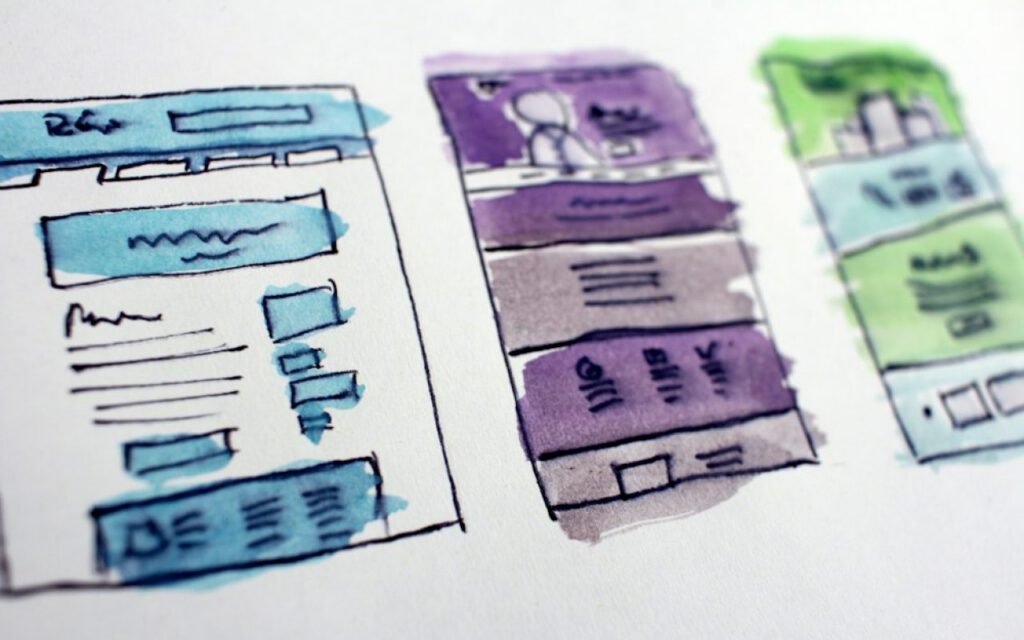

Ava Mitchell
Ava designs and builds fast Elementor websites for small businesses — Top Rated Plus on Upwork.



Trailhead Yoga managed bookings in a spreadsheet and a lot of text messages. The studio owner, Jenna Holloway, kept a laminated class schedule by the door, a shared spreadsheet on the front desk computer and her own phone buzzing nonstop with students asking whether there was room in the Tuesday evening flow. When she sent me her first message, she wrote that she spent more time managing bookings than teaching, and that she had started to dread her own phone.
Now students book, pay and join waitlists on their own. These are my case notes from the project: how we planned the system, how we handled passes and waitlists and why a twenty-minute training video turned out to matter as much as any line of code.
Understanding the studio
A booking system is never just software. It sits in the middle of how a business runs every day. Before designing anything, I spent two mornings at the studio, watching how students arrived, how the front desk checked them in and what happened when a class was full. I also asked Jenna and her two front desk staff, Priya and Marcus, to list every question they answered in a typical week.
The list was long but repetitive. Is there space in tonight’s class? Can I use my class pack for the weekend workshop? I am running late, can you hold my spot? Can I get on the waitlist? How many classes are left on my pass? Every question was a sign of something the website could answer automatically.

Start on paper
We sketched every screen in watercolor first. The owner caught three problems before a line of code. I like to begin projects like this with loose, hand-painted wireframes. They are quick to make, easy to change and, crucially, they look unfinished. Clients feel free to criticize a watercolor sketch in a way they never would with a polished mockup.
Spread out on the studio’s front desk, those sketches sparked real conversations. Jenna immediately noticed that the class page did not show which teacher was leading, which matters a lot to her regulars. Priya pointed out that students often book for a friend, so the form needed a way to add a guest. Marcus realized the waitlist had no rule for what happens if a spot opens five minutes before class. Fixing those issues on paper took an afternoon. Fixing them after launch would have taken weeks.
The three problems we caught early
- Teacher names and photos were missing from the class schedule.
- There was no simple way to book a spot for a guest.
- The waitlist needed a clear cutoff time before each class.
Classes, passes and a waitlist
The heart of the system is a weekly schedule that shows every class, teacher, level and available spots. Students tap a class, see the description and book in two steps. If they already own a class pack or a monthly membership, it is applied automatically. If not, they can buy a single drop-in class or a pack right there.
Passes were the trickiest part to get right. Trailhead offers drop-ins, five-class and ten-class packs, a monthly unlimited membership and a discounted pass for new students. Each has its own rules about expiration and which classes it covers. We kept the rules simple and visible: every student can see their remaining classes and expiration date on their account page, and the system sends a friendly reminder a week before a pass expires.
How the waitlist works
- When a class is full, students can join the waitlist with one tap.
- If a spot opens, the first person on the list is booked automatically and notified by text.
- The waitlist closes two hours before class, so nobody gets a surprise booking on the way to dinner.
- Students can cancel up to twelve hours before class without losing their credit.
- Late cancellations and no-shows follow the studio’s posted policy.
The automatic waitlist was the feature Jenna was most excited about, and it quickly proved its value. Classes that used to run with two or three empty mats because of last-minute cancellations now fill almost every time. The front desk no longer has to text anyone.
The best booking system is the one the front desk actually uses.
Ava
Payments without surprises
Students pay securely during booking, and the confirmation shows exactly what was charged and which pass was used. Refunds and credits follow the studio’s posted policy, which we rewrote in plain language and linked from every booking screen. Jenna had worried that students would push back on paying in advance. Instead, regulars told her they liked not having to remember cash or wait at the counter. Fewer people skipped class, too, since a paid spot is easier to commit to than a vague plan.
Teach the front desk
A twenty-minute video for staff mattered as much as the software. I have seen excellent booking systems fail because the people using them every day were never properly shown how. Staff fall back on old habits, keep the spreadsheet “just in case” and soon there are two sources of truth that disagree.
So before launch I recorded a short training video, walking through the tasks Priya and Marcus would actually do: checking students in, adding a walk-in, moving someone off the waitlist, selling a class pack at the counter and handling a refund. I split it into short chapters so they could jump straight to what they needed. I also printed a one-page cheat sheet that still sits beside the front desk computer.

We ran the new system and the old spreadsheet side by side for one week, then retired the spreadsheet for good. Any questions in the first month came to me directly, and I answered them with short screen recordings rather than long emails.
Results and lessons
Jenna reports that she now spends a fraction of the time she used to on bookings, and her phone is quiet enough that she has turned notifications back on. Students book late at night, on the weekend and on the train, whenever it suits them. Class attendance is steadier because of the waitlist, and new students find the intro pass on their own.
Key takeaway: a booking project succeeds when it fits the daily rhythm of the people at the front desk, not just the wish list on the website.
Here is what I am carrying forward to every booking project:
- Watch the business in person before designing anything.
- Sketch roughly and invite criticism early.
- Keep pass and cancellation rules simple and visible to students.
- Train staff with short, practical videos and a printed cheat sheet.
- Retire the old system quickly so there is only one source of truth.
A calmer studio
The best moment of the project came a few weeks after launch, when Jenna sent me a photo of the front desk. The laminated schedule was gone, the spreadsheet tab was closed and Priya was chatting with a new student instead of typing names into a cell. That is what a good booking system should do. It should disappear into the background so the people in the room can focus on each other, and on the practice they came for.
Ava Mitchell
Ava designs and builds fast Elementor websites for small businesses — Top Rated Plus on Upwork.


Thanks for explaining this so clearly.
Great reporting — please keep following this story.