
Surge Protection for the Whole House
Storms, appliances and your electronics.
 Derek Shaw6 min read
Texas storms send surges through power lines every summer. Anyone who has lived through a North Texas spring knows the pattern: a hot, sticky afternoon, a dark wall of clouds rolling in from the west, a few minutes of hail and lightning, and then, sometimes, a quiet house where something no longer turns on. A television that will not power up. A garage door opener with a blinking light. A refrigerator control board that went dark overnight. Often the culprit is an electrical surge, a brief spike in voltage far above what your home’s wiring and electronics are designed to handle.
Plug-in strips only protect one outlet. That is the problem most homeowners do not realize until after a storm. Your expensive appliances, HVAC system, water heater controls and smart home devices are wired directly into the walls, with no surge strip in sight. In this post, our team at Voltwise Electric explains where surges come from, how whole-home protection works and why the best approach is a layered one.
Where surges come from
A surge is a short burst of extra voltage. It may last only a tiny fraction of a second, but that is enough to damage sensitive electronics or slowly wear them down over time. Surges come from two main places.
Outside the home
Lightning is the dramatic one. A strike does not have to hit your house to cause trouble; a nearby strike on power lines or even the ground can send a surge through the utility system and into your home. Utility switching, downed lines, tree branches touching wires and the moment power is restored after an outage can also cause spikes.
Inside the home
Many surges actually start inside your own walls. Large motors and compressors, like air conditioners, refrigerators, pool pumps and well pumps, can create small surges every time they cycle on and off. These internal surges are usually smaller, but they happen many times a day, and over years they can shorten the life of electronics and appliance circuit boards.

At the panel
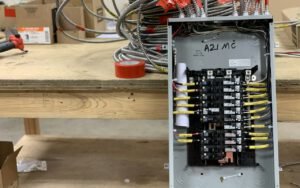
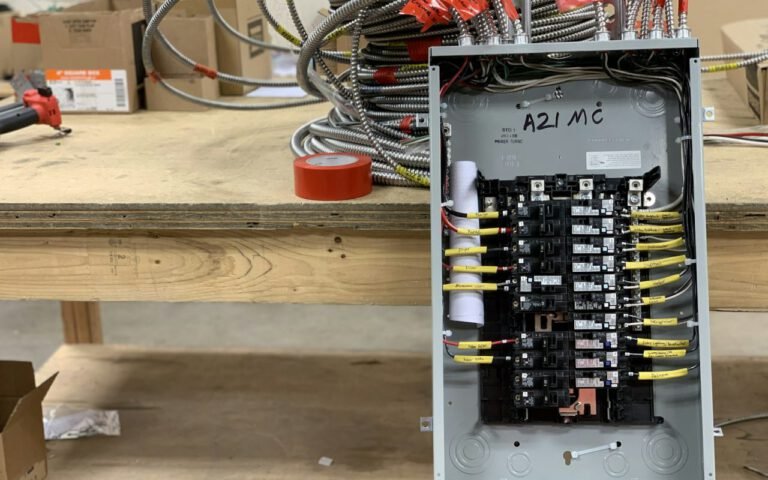
A whole-home protector stops big surges before they reach your wiring. It is a device installed at or next to your main electrical panel. When it senses voltage climbing above a safe level, it diverts the extra energy to ground, protecting every circuit in the house at once. It works for hardwired equipment like your HVAC system, water heater, oven and ceiling fans, as well as for everything plugged into the walls.
Installation usually takes a couple of hours. A licensed electrician mounts the device, connects it to a dedicated breaker or the appropriate terminals and makes sure the home’s grounding and bonding are in good shape. That last part matters. A surge protector sends extra energy to ground, so a weak or missing ground connection reduces how well it works. During every install, we check the grounding electrode, the ground connections and the bonding of the water and gas lines where required.
What to look for in a whole-home device
- A listing from a recognized testing lab for use as a surge protective device.
- A surge current rating suited to your home and your area’s storm activity.
- Indicator lights that show the device is working and protecting.
- A warranty from the manufacturer, ideally one that covers connected equipment.
- Compatibility with your panel and service type.
Surge protectors absorb wear over time, and very large surges can use up their protective capacity. That is why indicator lights matter. We recommend glancing at them a few times a year, and especially after a big storm.
One storm can cost more than the protector.
Derek
Layer it
Keep plug-in protectors for computers and TVs as a second line of defense. Whole-home protection is designed to stop the big hits from outside. Point-of-use surge protectors, the familiar power strips with surge ratings, handle smaller surges and the leftover energy that can get past the first layer. Together, they provide much stronger protection than either one alone.
Here is how we suggest layering protection in a typical home:
- Service entrance or panel: a whole-home surge protective device, installed by a licensed electrician.
- Sensitive electronics: quality plug-in surge protectors for computers, TVs, game consoles, home theater equipment and networking gear.
- Data and coax lines: protection for cable, satellite and phone lines, which can also carry surges into equipment.
- Critical equipment: a battery backup, also called an uninterruptible power supply, for a home office computer or medical devices.

Not every power strip is a surge protector. Many inexpensive strips simply add more outlets, with no protection at all. When shopping, look for a strip that is clearly labeled as a surge protector, carries a listing from a recognized testing lab and shows a joule rating on the packaging. A higher joule rating generally means the strip can absorb more energy before it wears out. A protection indicator light is also worth having, because it tells you at a glance whether the strip is still doing its job. For a home theater or a desk full of equipment, one quality strip is better than a chain of cheap ones, and daisy-chaining strips together is never a good idea.
Plug-in surge strips also wear out. If yours is many years old, has a dark protection light or has been through a major surge, consider replacing it. A strip that only works as an extension cord is not protecting anything.
Smart habits during storms
Even with good protection, a few simple habits help during severe weather. When a strong storm is heading your way, unplug expensive electronics you do not need, especially if they are not on a surge protector. Do not handle cords or plugs during lightning; do it before the storm arrives. After a power outage, consider turning off large appliances and electronics, then turning them back on a few at a time once power has been stable for a few minutes.
Your safety comes first. Never touch downed power lines or anything they are touching, and stay well away. Report them to your utility right away. If you smell burning, see sparks or notice scorch marks at an outlet or panel after a storm, turn off the power at the main breaker if it is safe to do so and call a licensed electrician.
Key takeaway: whole-home surge protection guards everything wired into your house, and plug-in protectors add a second layer for your most sensitive electronics. Use both.
Is it worth it?
Think about what is in a modern home: a smart thermostat, a high-efficiency HVAC system with electronic controls, a refrigerator and washer with circuit boards, an oven with a digital display, a home office, a security system and a collection of TVs and computers. Many of these items cost hundreds or thousands of dollars to repair or replace. Homeowners insurance may cover some storm damage, but deductibles, claim hassles and the time without your equipment add up quickly.
Compared to that, whole-home surge protection is a modest, one-time investment. It will not stop a direct lightning strike to your house, and no device can promise that, but it greatly reduces the risk from the everyday surges and nearby strikes that cause most damage. If you would like to protect your home before the next round of Texas storms, our team at Voltwise Electric can inspect your panel and grounding and recommend the right solution. As always, leave panel work to a licensed electrician.

Derek Shaw
Derek has wired DFW homes since 2010.



Start the conversation