Release Notes: Grove 2.3 for Restaurants
Online menus, table booking and holiday hours.
 Cole Bennett6 min read
Grove 2.3 is a small update that restaurant owners will love. It doesn’t add a new demo or redesign the homepage. Instead, it focuses on the moments that make running a restaurant website stressful: the dish that sells out at seven-thirty, the table that needs booking for a birthday, and the holiday week when nobody remembers to update the hours. Three features, all requested by people who run kitchens. Online menus, table booking and holiday hours. Here is what each one does, why it matters and how to set it up before your next busy weekend.
Built from real Friday nights
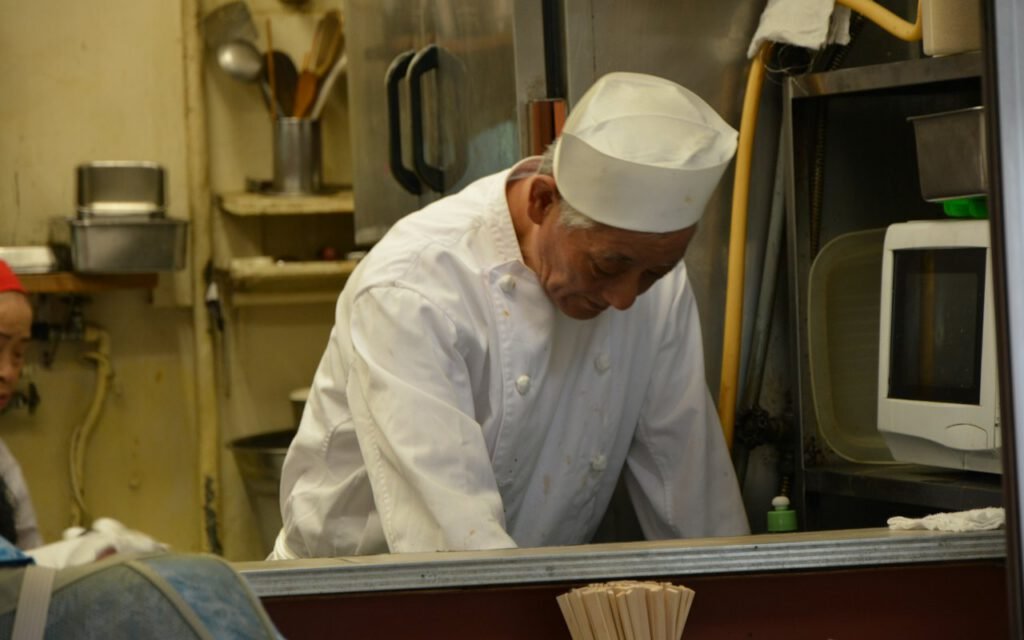
Grove has always been a theme for independent restaurants, cafes and bakeries. Over the past year, I made a point of visiting a few of the places that use it. I sat at the bar of a small taqueria in Austin on a Friday night and watched the owner run between the kitchen, the host stand and her phone. A customer called asking whether the brisket special was still available. Two people emailed about booking for eight. And the website still showed last week’s hours.
None of those problems needed a new design. They needed tools that took seconds instead of minutes, and that worked from a phone in a busy kitchen. That evening became the plan for this release. Every feature in 2.3 was tested by restaurant owners during real service, not just by me at a desk.
Menus that update themselves
Mark a dish as sold out from your phone and it disappears from the site. That is the heart of the new menu system. Instead of logging into the dashboard and editing a long page, owners and managers open a simple mobile screen that lists every dish with a toggle. Tap once and the dish shows a “sold out” label or hides completely, depending on your setting. Tap again the next morning and it comes back.
What else is new in menus
- Separate menus for breakfast, lunch, dinner and brunch that appear at the right time of day
- Price options by size, such as cup or bowl, or half and full order
- Dietary labels for vegetarian, vegan and gluten-free dishes
- Daily specials that expire automatically at closing time
- A print-friendly version for the table or the window
Menus are stored as structured data, so they also show up cleanly when people search for your restaurant online. If you already have a menu in Grove, the update converts it automatically. Your dishes, prices and descriptions stay exactly as they were.
The mobile screen is protected by your normal login, and you can give kitchen staff a limited account that can only toggle dishes, nothing else. That way a line cook can mark the salmon as gone without being able to change prices or delete pages by accident. One owner in the beta group taped a small card by the pass with instructions, and her team started using it on the first night. She said the biggest change was at the host stand: fewer guests ordering a dish that had already sold out, and fewer awkward apologies from servers who had to walk back to the table with bad news.
If you prefer, sold-out dishes can stay visible with a soft gray label instead of disappearing. Some restaurants like this because it shows regulars that a favorite dish is popular, and it encourages them to come in earlier next time.
Small updates, made for real Friday nights.
Cole Bennett, theme author
Table booking without the phone tag
Booking was the most requested feature from restaurants that don’t use a large reservation service. Many owners told me they didn’t want monthly fees or a complicated system. They just wanted guests to request a table online and get a clear reply.
Grove 2.3 adds a simple booking form with date, time, party size and a notes field for birthdays, allergies or high chairs. You choose your available time slots and the maximum number of guests per slot. When a request comes in, you get an email and a notification on the dashboard. You can confirm, suggest another time or decline with one tap, and the guest receives a friendly email either way.
Setting up booking
- Update Grove and the Grove Kitchen companion plugin.
- Open the Booking settings and enter your opening days and time slots.
- Set the largest party you accept online, such as eight guests.
- Customize the confirmation email with your address and parking notes.
- Add the booking block to your homepage or a dedicated reservations page.
If you already use a reservation service, you can keep it. Grove simply lets you paste its booking button into the same spot, and the new form stays hidden.
Holiday hours
Set them once in November and the site shows the right hours all season. This feature came from a bakery owner who told me she once had three angry customers at her locked door on the day after Christmas because her website still showed regular hours.
The new holiday hours screen lets you add special dates in advance, each with its own hours or a “closed” label. You can add a short note, such as “Pie pickup only” or “Closing early for our staff party.” On each date, your site shows the special hours in the header, the footer and the contact page. When the date passes, everything returns to normal on its own. No need to remember to change anything back.
It also handles recurring dates. Add Thanksgiving, Christmas Eve and New Year’s Day once and choose whether they repeat each year. You can add a small banner that appears a week ahead to remind regulars, which owners say has cut down on phone calls during the holidays.

Small changes you might miss
Alongside the three main features, this update includes a handful of smaller improvements, most of them from support tickets. The phone number in the header is now tappable on every page. Opening hours appear in a clean table on mobile. Photo galleries load faster on dish pages, and the online ordering button can link to any service you already use. I also fixed a spacing issue on the contact page and improved contrast on the dark menu style for better readability.
As with any update, make a backup before you begin and check your menu and contact pages afterward. If you use a caching plugin, clear the cache so visitors see the new hours and menu right away.
Key takeaway: Update Grove, turn on the mobile menu toggles, set your booking slots and add your holiday dates now. Your future self on a busy Friday will thank you.
Thank you to the kitchens
This release exists because a group of restaurant owners let me into their busiest nights and answered my questions between orders. Thank you to the taqueria in Austin, the family bakery in Minneapolis and the small wine bar in Portland that tested early versions and sent honest notes when things didn’t work. I learned more from watching them than from any feature request.
Next on the list is a simple gift card page and better support for catering menus, both requested several times this year. If you run a restaurant on Grove and have an idea that would make your Friday easier, send it my way. Small updates, made from real service, are the ones that matter most.

Cole Bennett
Cole builds fast WordPress themes and answers every support ticket within a day.




Start the conversation