
Reading Your Solar Monitoring App (and When Warranties Kick In)
What normal looks like in your solar app, a five-minute monthly check, and how panel warranties work.
 Marco Silva6 min read
Marco Silva
Marco has been on more than 2,000 local roofs.
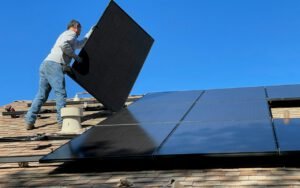

Your solar monitoring app is the easiest way to know your system is healthy, but only if you know what normal looks like. Most homeowners open it a dozen times in the first week, then forget about it. That is fine most of the time. A quick five-minute check each month, plus knowing what your warranties cover, is all it takes to catch a problem early and get it fixed without a fight.
Every monitoring app looks a little different, but they all show the same basic information. Here is how our install team reads them, what the numbers mean, and how warranties come into play when something looks off.
The three numbers that matter
Ignore the animations and the colorful home screen for a moment. Three numbers tell you almost everything.
Current power, in kilowatts (kW). This is how much your panels are producing right now. On a clear noon in May, a 7-kW system in San Diego might show 5.5 to 6 kW. At 8:00 a.m. it might show 1.5. At night it shows zero, which is normal.
Daily energy, in kilowatt-hours (kWh). This is the total made so far today. A 7-kW system averages roughly 28 to 34 kWh on a sunny summer day and 16 to 22 kWh on a clear winter day here.
Lifetime energy. A running total since the system turned on. Useful for comparing year over year, and handy for warranty claims.
Some apps also show home consumption, if a consumption meter was installed. That view tells you how much of your solar you use directly and how much goes out to the grid. It is the best tool for spotting habits worth shifting, like a dryer that always runs at 7:00 p.m. instead of noon.

Reading the daily curve
Most apps show a graph of today’s production. On a clear day it should look like a smooth hill: rising after sunrise, peaking around 12:30 p.m., and falling toward sunset. Panels facing west will shift that peak later, toward 2:00 or 3:00 p.m.
A few shapes are worth knowing:
- Jagged hill. Passing clouds or May Gray marine layer. Totally normal.
- Flat top. Your inverter has reached its maximum output on a very bright day. Called clipping, and a small amount is expected and planned for.
- A dip at the same time every day. Probably a shadow from a tree, chimney or neighbor’s roof. Worth checking if it is new.
- Flat line at zero all day. The system is off. Check your breaker and call us.
Panel-level views
If your system uses microinverters or optimizers, your app can show each panel on its own. This is the most useful screen for spotting problems. On a sunny afternoon, all panels on the same roof face should show similar numbers, usually within 5 to 10 percent of each other.
One panel consistently making 40 percent less than its neighbors points to a problem: heavy dirt, a bird nest underneath, damage, or a failing electronic part. A panel showing zero for several days usually means a part has stopped working. Either way, take a screenshot and send it to us.
A screenshot with the date is worth more than a long description. It lets us see the problem before we ever climb a ladder.
Marco Silva
A five-minute monthly check
Pick the first sunny weekend of each month and run through this:
- Confirm the app shows current production during daylight.
- Compare this month’s total with the same month last year. A drop of more than 10 percent on similar weather is worth a closer look.
- Look at the panel view on a sunny afternoon for any panel well below the others.
- Check for alerts or error messages in the app’s notifications.
- Make sure the app is still connected. If your home Wi-Fi changed, the system may still be producing but no longer reporting.
That last point catches a lot of people. A new router or Wi-Fi password is the number one reason we get a panicked call that turns out to be nothing. The panels keep working; the app simply lost its connection. We can walk you through reconnecting it over the phone in about ten minutes.
Warranty basics, in plain terms
When the app shows a real problem, warranties decide who pays. Most solar systems come with three separate kinds of coverage, and it helps to know which is which.
Product warranty
Covers defects in the panel itself, such as a broken junction box or a cracked cell from a manufacturing flaw. Panel product warranties commonly run 12 to 25 years, depending on the manufacturer.
Performance warranty
Panels slowly make a little less power each year. A performance warranty promises a minimum output over time, often around 85 to 90 percent of the original rating after 25 years. Your lifetime production numbers in the app are what you would use to support a claim.
Inverter and workmanship warranties
Inverters and microinverters have their own warranty, commonly 10 to 25 years. Separately, our workmanship warranty covers the installation itself, including wiring, mounts and roof penetrations, for ten years. If something we installed was done wrong, we fix it.
What warranties usually do not cover
Warranties protect against defects, not everything that can happen to a roof. Damage from a falling tree limb, a ball from the neighbor’s yard, a fire or a severe storm is usually a homeowner’s insurance matter. Panels that someone else moved or rewired can also lose coverage. It is a good idea to call your insurance agent once your system is installed and ask to have it listed on your policy. Most add it for little or no change in premium, but it is worth confirming.
Labor is another detail to check. Some manufacturer warranties cover the replacement part but not the cost of a crew to swap it. During our workmanship warranty period, we cover that labor ourselves on equipment we installed, so you are not stuck with a service bill for a defective part.
How a claim usually goes
Here is the typical path when the app flags a problem. You send us a screenshot. We review the data remotely, often the same day, and pull the serial number from your project file. If it looks like a failed part, we open a claim with the manufacturer and schedule a visit. The replacement part ships to us, usually within one to three weeks, and our crew installs it in about an hour. You will see that panel back to normal in the app the same afternoon.
Keep your project folder somewhere you can find it. It includes your equipment serial numbers, warranty documents and install photos. We keep a copy too, so do not worry if yours has gone missing.
When to call us
Call or email if the app shows zero on a sunny day, a panel stays well below its neighbors for a week, production is down more than 10 percent year over year, or you see an error code you do not recognize. Send a screenshot to service@sunlinesolar.example or call 555-0163. We will tell you whether it needs a visit, and if a warranty covers it, we handle the paperwork with the manufacturer so you do not have to.


2 Comments
The Wi-Fi tip was exactly our problem. App showed nothing for two weeks after we got a new router.
Never knew there were three different warranties. Bookmarking this one.