Smart Thermostat Settings That Actually Save Money in Denver
The default settings rarely fit Denver homes. Here is how to set schedules, setbacks and sensors.
 Tasha Green7 min read

Tasha Green
Tasha keeps sixty visits a day on time.
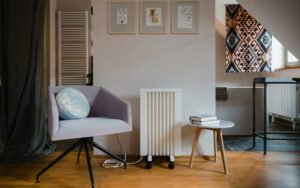


Every week someone shows us a brand-new smart thermostat that is doing a worse job than the old dial it replaced. The hardware is fine. The problem is the settings. Most of these thermostats ship with defaults written for a generic house in a generic climate, and Denver is anything but generic. We have thin air, huge daily temperature swings, bright winter sun and a lot of homes heated by a furnace that was sized decades ago. A few minutes in the settings menu can make a real difference in comfort and in your monthly bill.
This is the checklist our technicians walk through when a customer asks us to look at their thermostat during a service visit. None of it requires tools, and most of it takes less time than a cup of coffee.
Start with a schedule that matches your real life
The single biggest savings come from not heating or cooling an empty house. Most smart thermostats offer a learning mode that guesses your routine, and for some households it works well. For many others, especially families with shifting school and work schedules, it produces odd results: the heat clicks up at 2:00 p.m. on a Tuesday because someone came home early once three weeks ago.
We usually suggest turning learning off for the first month and setting a simple schedule by hand. Four blocks a day is plenty for most homes:
- Wake: 68°F in winter, starting 30 minutes before the first alarm goes off.
- Away: 62°F to 64°F in winter, or 80°F to 82°F in summer, while the house is empty.
- Home: 68°F in winter, 76°F to 78°F in summer, starting 30 to 45 minutes before people get back.
- Sleep: 64°F to 66°F in winter, 74°F to 76°F in summer, starting around 10:00 p.m.
Once you have lived with that for a few weeks, you can let the thermostat fine-tune it. Starting from a schedule you chose makes it much easier to spot when the automation goes sideways.

Setbacks: how far is too far?
A common rule of thumb says you save roughly 1% on heating for every degree you set back over an eight-hour period. That math is a fair starting point, but there are limits. If you drop the house to 55°F during the day, the furnace has to run for a long stretch to recover, and in a poorly insulated older home in Park Hill or Wash Park it may not catch up before dinner. People get cold, bump the thermostat to 75°F to “speed it up” (it does not), and the savings disappear.
For most Denver homes, a setback of 6 to 8 degrees is the sweet spot. Bigger setbacks make sense for long trips. If you leave for a ski weekend in January, set the house to 55°F, never lower. Burst pipes on an exterior wall cost far more than a few extra therms of gas.
Heat pump owners, read this twice
If your home has a heat pump, deep setbacks can backfire. When the thermostat asks for a large jump in temperature, many systems call on the electric backup heat strips to help, and those strips are expensive to run. Look for a setting called “auxiliary heat lockout,” “smart recovery” or “adaptive recovery.” We usually set the aux heat lockout around 35°F outdoor temperature for modern cold-climate heat pumps, and keep setbacks to 3 or 4 degrees.
Settings most people never touch
Dig past the main screen and you will find a handful of settings that matter more than the fancy energy reports.
Cycle rate or cycles per hour. This controls how often the furnace or AC is allowed to start. Too high and the system short-cycles, which wears out igniters and compressors. For a standard gas furnace we usually set three to five cycles per hour, and for cooling, three.
Temperature differential or swing. This is how far the room can drift before the system kicks on. A swing of 0.5°F feels very steady but causes more starts. A swing of 1°F is a good compromise in most houses.
Fan mode. “On” runs the blower all day, which can help even out hot and cold rooms but costs electricity and can pull dry air through leaky ducts. “Auto” is the right choice for most homes. Some thermostats offer a “circulate” option that runs the fan 15 to 20 minutes an hour, which is a nice middle ground for split-level homes with a chilly basement.
Equipment type. This one surprises people. If the thermostat was installed by the homeowner, it is worth confirming it knows whether you have a single-stage furnace, a two-stage furnace or a heat pump. We regularly find two-stage furnaces wired and configured as single-stage, which means they never use the quieter, more efficient low setting.
Half the “my smart thermostat doesn’t work” calls we get are really “my thermostat doesn’t know what equipment it’s connected to.” Ten minutes in the installer menu fixes most of them.
Tasha Green, Service Manager
Put the sensor in the right place
A thermostat can only control what it can feel. We often find them mounted on a wall that gets afternoon sun through a west-facing window, right above a lamp, or next to a kitchen doorway. In Denver’s strong winter sun, a sunny wall can read 4 or 5 degrees warmer than the rest of the house, so the furnace shuts off while the bedrooms are cold.
If your model supports remote room sensors, place one in the bedroom where people sleep and one in the room you use most in the evening. Then tell the thermostat to average those rooms during the times they matter. This is one of the simplest ways to fix the classic “upstairs is hot, basement is freezing” complaint without touching the ductwork.
Geofencing, eco modes and utility programs
Geofencing uses your phone’s location to switch the house to “away” when everyone leaves. It works well when every adult in the house has the app installed and location sharing turned on. If even one person is missing from the setup, the house may decide it is empty while a teenager is home doing homework in a cold bedroom. Test it for a week before relying on it.
Eco or “savings” modes are worth trying, but read what they actually do. Some simply widen your setpoints by a degree or two. Others shift run time to cheaper hours if your electric plan has time-of-use pricing. If you are on a time-of-use plan, pre-cooling the house to 74°F before the afternoon peak and letting it drift up to 78°F during the expensive hours can trim a summer bill without much discomfort.
Many local utilities offer rebates or bill credits for enrolling a smart thermostat in a demand response program. In exchange, they may nudge your setpoint up a couple of degrees on the hottest summer afternoons. You can usually override an event if it gets uncomfortable, so it is worth reading the terms and deciding for yourself.
A quick monthly check
Smart thermostats are not set-and-forget, no matter what the box says. Once a month, take a look at three things:
First, check the filter reminder and actually change the filter when it asks. Second, look at the runtime report. If your heating hours jumped 30% from one week to the next and the weather did not change much, something is going on with the equipment. Third, make sure the schedule still matches your life. Summer break, a new job or a new baby will all change when the house needs to be comfortable.

If you have gone through all of this and the house still feels off, the thermostat may be doing its job perfectly while the equipment behind it is not. Uneven rooms, long run times and frequent cycling can point to a dirty flame sensor, a clogged filter or ductwork that needs balancing. When you book a tune-up with Peak Air, just ask the technician to look over your thermostat settings while they are there. We are happy to walk you through it, and there is no extra charge for the advice.
Tasha Green
Tasha keeps sixty visits a day on time.

2 Comments
Turned out our two-stage furnace was set up as single-stage. Fixed it in five minutes. Thanks!
The tip about the sunny wall explains so much about our upstairs.