



 ReviewsThe Best Budget Phones of the Year, Tested for Three MonthsYou don’t need to spend $1,000. These five phones under $400 surprised us with their cameras…
How-to Laura Bennett6 min read
Mechanical Keyboards Explained: Switches, Sizes and What Actually Matters
Linear or tactile? Full-size or 75%? A plain-English guide before you buy.
Laura Bennett6 min read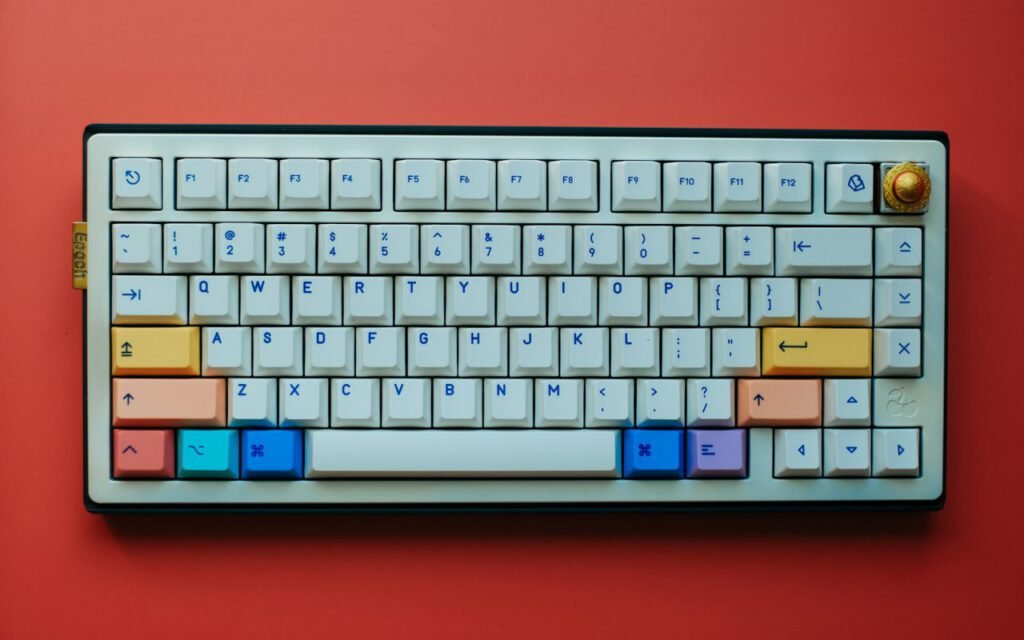

Written by
Laura Bennett
Laura investigates data brokers, scams and the companies that track you.
12Articles
2026Writing since
Mechanical keyboards are a rabbit hole. This guide gets you to a great first board without a spreadsheet. Spend an afternoon on enthusiast forums and you will find people debating spring weights, lubricant brands and the acoustic properties of foam with the passion of wine collectors. That is part of the fun for some people, but you do not need any of it to buy a keyboard that feels wonderful every day. What you need is a basic understanding of switches, a sense of which size fits your desk, and a short list of features that genuinely make a difference.
We have tested dozens of boards over the past few years, from bargain options under $50 to custom builds that cost more than a console. The advice below is what our hardware team gives friends and family when they ask, “Which one should I get?”
Switches in one sentence each
Linear switches are smooth, tactile ones have a bump and clicky ones make noise your roommates will hate. That really is the core of it, but a little more detail helps you choose.
Linear
A linear switch travels straight down with no bump and no click. It feels smooth and consistent, which is why many competitive players prefer it for fast, repeated presses. If you mostly game and want something quiet enough for late nights, linear is a safe starting point.
Tactile
A tactile switch has a small bump partway down that tells your finger the key has registered. Many people who type a lot, such as students, writers and programmers, love tactile switches because the bump helps them avoid pressing all the way down every time. They are a good all-rounder if you split your time between work and play.
Clicky
A clicky switch adds a sharp audible click to the tactile bump. It is satisfying, nostalgic and undeniably loud. If you share a room, a dorm or an open office, think carefully before buying one, and maybe ask the people around you first.
Why hot-swap changes everything
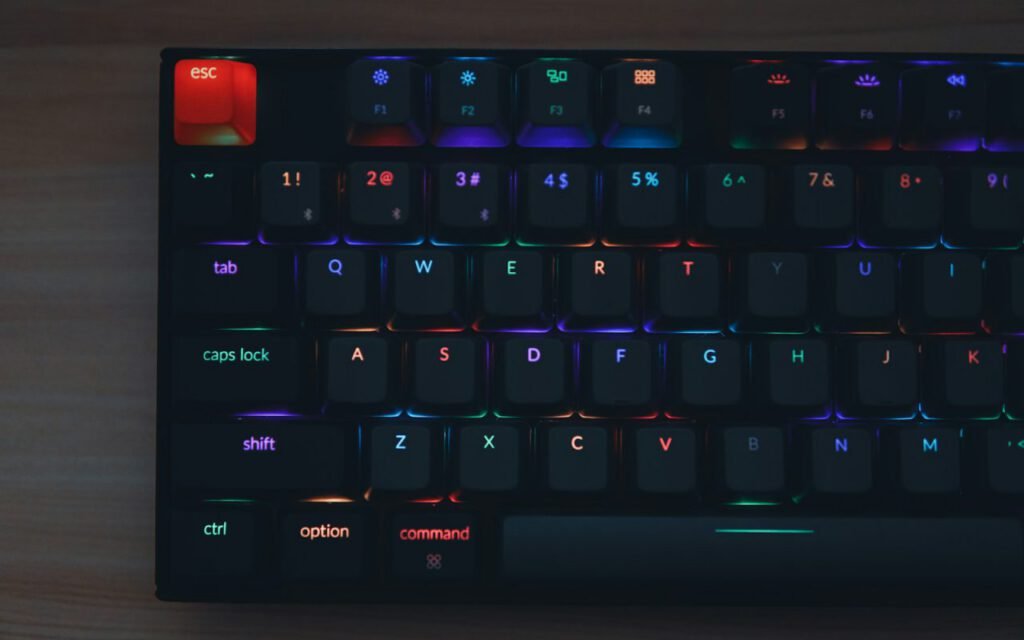
The single most useful feature on a first mechanical keyboard is hot-swappable sockets. On a hot-swap board, each switch simply plugs into the circuit board and can be pulled out with a small tool in seconds. No soldering iron, no special skills. If you buy a board with linear switches and later decide you want tactile ones, you can replace them yourself for the cost of a new set of switches.
Buy a hot-swappable board. You can change your mind about switches later.
Ken Watanabe, Byteline hardware editor
Before you buy, check which switch pin type the board supports. Most modern hot-swap boards accept the common five-pin switches and three-pin switches alike, but a few only take one kind. The product page usually lists this, and getting it right means you can try almost any switch on the market later.
Hot-swap also protects you if a single switch fails. Instead of sending the whole keyboard back, you swap the bad switch for a spare and keep going. Many hot-swap boards even come with a few extra switches in the box for exactly this reason. In our experience, this one feature adds years to a keyboard’s useful life.
Size
A 75% layout keeps the arrow keys and frees space for your mouse. For most people it is the best balance of function and desk space, but here is how the common sizes compare.
- Full-size (100%): every key, including the number pad. Great for spreadsheets, accounting work and anyone who enters a lot of numbers. It takes up the most room on your desk.
- Tenkeyless (TKL or 80%): the full layout minus the number pad. A classic choice for gamers who want more mouse space without learning anything new.
- 75%: squeezes the function row, arrows and a few navigation keys into a compact block. It feels familiar within a day and saves a surprising amount of space.
- 65%: drops the function row but keeps the arrow keys. Popular with people who rarely use F1 through F12.
- 60%: the smallest common layout, with no arrows and no function row. Those keys move to a secondary layer you reach with a modifier key. It looks clean and travels well, but it has a learning curve.
There are also split and ergonomic designs, where the keyboard is divided into two halves you can angle toward each shoulder. People with wrist or shoulder discomfort often find them more comfortable over long sessions, though they take a week or two to get used to. If typing ever causes you pain, it is worth talking to a doctor or physical therapist about your setup before spending money on special hardware.
If you are unsure, measure the space between your monitor stand and where your mouse usually sits. If your mouse keeps bumping into the keyboard during games, a smaller board will help more than any other upgrade.

What actually matters, and what does not
Once you have picked a switch type and a size, a few other details are worth checking. Everything else is mostly preference or marketing.
Worth paying attention to
Keycap material. Most keycaps are made from one of two plastics. The cheaper kind can turn shiny after months of use, while the thicker, textured kind keeps its finish longer. Keycaps are easy to replace later, so this should not be a deal breaker, but it is nice to start with good ones.
Stabilizers. The long keys, like the space bar, shift and enter, use small metal wires called stabilizers. Cheap stabilizers rattle. If a review mentions a rattly space bar, that is a sign the maker cut corners.
Connection. Wired boards are simple and have no battery to manage. Wireless boards are tidier and great for couch setups or laptops. Modern wireless connections are fast enough for most gaming, though competitive players still tend to plug in.
Software. Being able to remap keys is genuinely useful, especially on smaller layouts. Look for software that saves your settings to the keyboard itself, so they work on any computer without an app running in the background.
Mostly marketing
Ultra-high polling rates, aggressive lighting effects and aluminum cases are all nice extras, but none of them will make you a better player or a faster typist. A $70 board with good switches and solid stabilizers will feel better than a $250 board with a flashy case and a rattly space bar.
Our quick picks by budget
Prices change often, but these ranges hold up well across the market in 2026.
- Under $60: look for a hot-swap 75% or TKL board with pre-lubricated linear switches. You give up some polish but get the most important features.
- $60 to $120: the sweet spot. Expect better keycaps, foam inside the case to soften the sound, tuned stabilizers and often wireless support.
- $120 and up: aluminum cases, gasket mounting for a softer feel and more premium switches. Lovely to use, but not necessary to enjoy a mechanical keyboard.
Key takeaway: if you remember only three things, make them a hot-swap board, a size that fits your desk and a switch type that matches how loud you are allowed to be.
The bottom line
A great first mechanical keyboard does not require research spreadsheets or a custom order with a three-month wait. Pick linear for quiet gaming, tactile for mixed use, or clicky if you live alone and love the sound. Choose a 75% or tenkeyless layout unless you need a number pad. And above all, buy hot-swap, so the decisions you make today are never permanent. After that, the only thing left is to type, play and decide whether you want to fall a little further down the rabbit hole. Our hardware spec sheets will be waiting when you do.
Written by
Laura Bennett
Laura investigates data brokers, scams and the companies that track you.
12Articles
2026Writing since
Read next
ReviewsThe Best Budget Phones of the Year, Tested for Three MonthsYou don’t need to spend $1,000. These five phones under $400 surprised us with their cameras… How-toHow to Back Up Your Photos Before Your Phone DiesA simple, two-copy system that takes 20 minutes to set up and protects 10 years of…
 ReviewsTen Albums We Couldn’t Stop Playing This MonthA Nashville songwriter’s quiet debut, a jazz trio from Detroit and the year’s best road-trip record.
 How-toHow to Make a Small Apartment Feel Twice as BigMirrors, legs on furniture and one rug instead of three: designers share the tricks that actually…
 Health TechThe Five-Minute Morning Routine Doctors Actually RecommendWater, light, a short walk and two other habits that make a measurable difference by noon.
 ReviewsThe Best Gaming Monitors for Every Budget in 2026From $199 to $899: the screens we’d buy for fast shooters, big strategy games and everything…
 ReviewsAre Expensive Gaming Headsets Worth It? We Tested TwelveFrom $39 to $299: where the money goes, and the mid-range pair we would buy with…
 How-toProtect Your Gaming Accounts: A Five-Minute Security CheckupTwo-factor login, unique passwords and how to spot a fake giveaway.
 How-toHow to Start Streaming Games: The Gear and Settings You NeedA camera, a decent mic and a plan — streaming advice from people who do it…
Start the conversation